
a freeware chess program
a freeware chess program

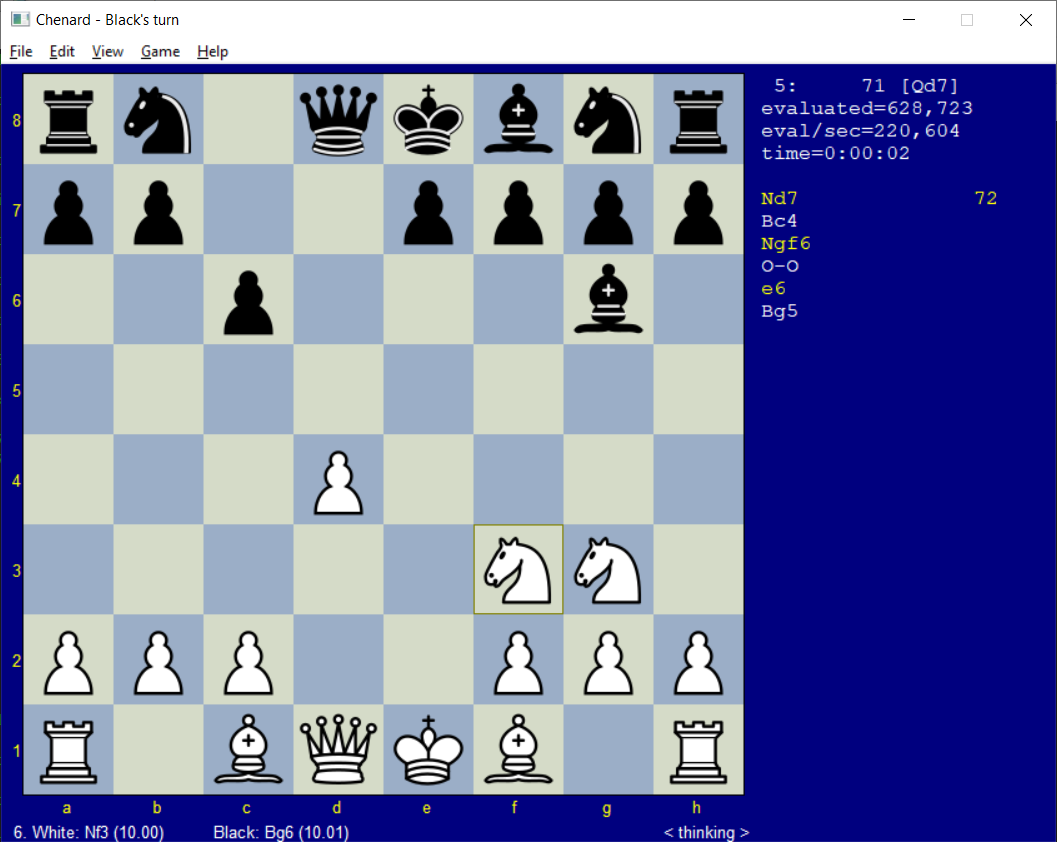
I have written a freeware chess program called Chenard. Although it is not in the same league as commercial programs, it plays a fairly strong game. Chenard is written totally in C++ and the source code is portable to just about any operating system. The code has a built-in opening library, special endgame tactics, and the usual min-max search algorithm. One of the more interesting features of Chenard is that it automatically learns new openings and does not have to spend time thinking when it re-encounters any position in the first 15 moves of a game.
If you enjoy using Chenard and want to support this open source freeware, please consider making a donation of any amount you choose. Any amount is welcomed, and will encourage adding features and making improvements.
Quick jump to download section on this page:
All of the following versions of my chess program are freeware. This means that you may use these programs for free on your computer. Also, it means that you may distribute the original, unmodified zip files to other people.
Revision history - Tells what has changed recently.
MD5 checksums and file sizes - Verify that your download is not corrupt.
Here are ZIP files (compressed archives) that you can download and decompress into a directory on your computer
(I recommend something like C:\CHENARD).
winchen.zip
This zip file contains a version of Chenard for 32-bit versions of Microsoft Windows.
It also contains documentation for installing and using Chenard (mirrored here).
winchen64.zip
This zip file contains a version of Chenard for 64-bit versions of Microsoft Windows.
This will not work on 32-bit versions of Windows. If you aren't sure, don't use this one;
use the 32-bit version above, which will work on either Win32 or x64. This x64 version
runs about 25 percent faster than the Win32 version on my 64-bit Windows 7 laptop, for what it's worth.
endgame.zip
This optional zip file contains endgame databases for Chenard to instantly figure
out the ideal move in certain endgame situations.
Without this download, in these situations Chenard can blunder a won game and end up with a draw.
Unzip the contents of endgame.zip in the same directory where you run winchen.exe,
xchenard.exe or the Linux versions of xchenard or chenard.
After unzipping, these files will consume about 16MB of disk space.
chenwav.zip
This zip file contains some WAV file recordings of my voice that the Windows graphical versions
of Chenard (winchen.exe and winchen64.exe) can use to speak the notation
for each move through your sound card.
To use this feature, download chenwav.zip and unzip its contents in the same directory
where you saved Chenard.
Then, to enable the voice feature in Chenard, click on the View menu and choose "Speak moves through sound card".
If you don't want to enable the the speaking option, there is no need to download this file.
This download works only with the Windows graphical versions; the other versions of Chenard do not
support speaking the moves.
You can use this version of Chenard as a plug-in chess engine with
WinBoard:
wxchenard.zip (Win32)
wxchenard64.zip (x64)
Just download and unzip the file xchenard.exe (if you downloaded the Win32 build)
or xchenard64.exe (for the x64 build). WinBoard can load xchenard as a chess engine
using menu options "Engine/Load first engine" and/or "Engine/Load second engine".
The complete C++ source code for the Chenard chess engine is now available on GitHub.
This source code is public domain. All I ask is that my name (Don Cross) and the Chenard web site address (http://cosinekitty.com/chenard/) remain intact in any distributed works. I would also like to hear of any interesting uses you have made of the source code. Please email me: cosinekitty@gmail.com
The GitHub repository linked above contains all the source code for building the following versions of Chenard:
chenard.slnwinchen.exe - The Windows GUI version of Chenard.xchenard.exe - WinBoard compatible chess engine.
See below for more information about compiling this yourself.
portable.exe - The primitive text-only version of Chenard, as a Windows console mode app.ttychess.exe - The serial teletype version of Chenard. Runs as a console mode app.xchenard - xboard compatible chess engine for Linux.chenard - primitive text-only Linux program,
but with the same fully-functional chess engine.
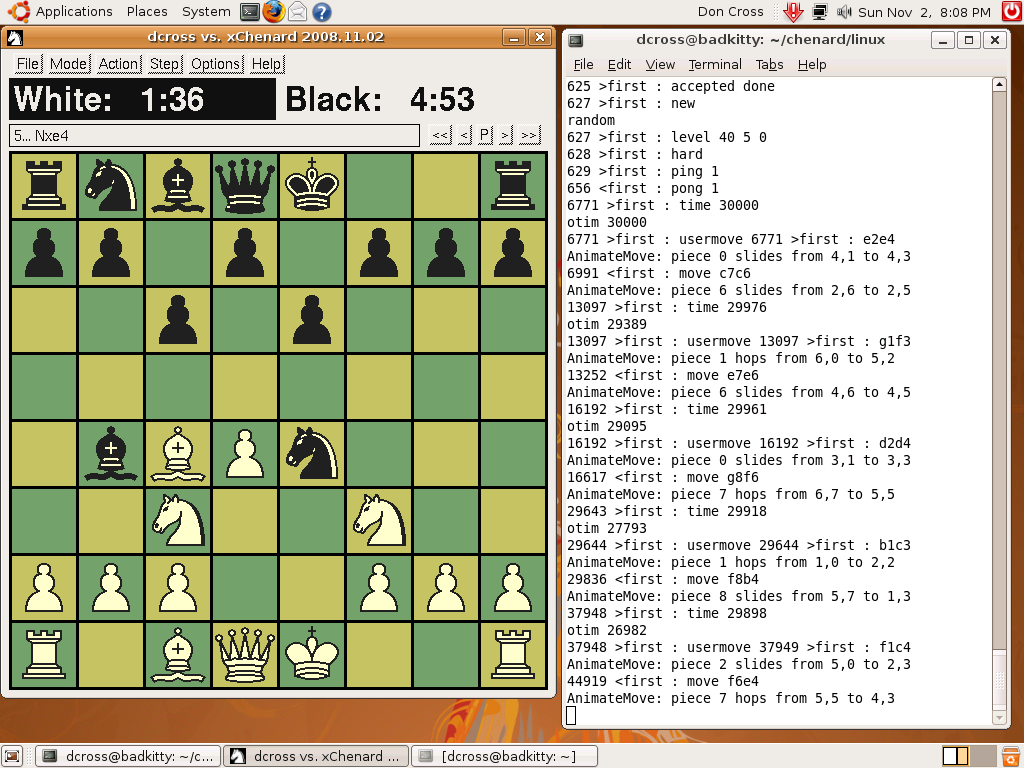 |
Screen shot of xboard running xchenard as its chess engine on Ubuntu Linux 8.04.
(Click picture for full resolution image.) Note that I ran xboard with the -debug option
so that I could see all the messages going back and forth between them. |
This is an xboard compatible version of Chenard I started in November 2008. You must install xboard version 2 or higher, then download and compile the xboard version of Chenard, called xchenard. Here are instructions (tested on Ubuntu 8.04 and Mandriva 2010):
| (Ubuntu) | (Mandriva) |
sudo apt-get update
sudo apt-get install build-essential
sudo apt-get install xboard
|
su  (Enter root password when prompted)
urpmi gcc
urpmi gcc-c++
urpmi xboard   (Choose chess engine like Crafty or gnuchess)
exit   (Gets you out of superuser mode)
|
    cd ~     # Or whatever directory you want
    git clone https://github.com/cosinekitty/chenard.git    # Or use your browser to download from the GitHub page.
    cd chenard/linux
    ./xbuild
xboard -fcp ./xchenard
If you are not interested in the text-only version of Chenard you can stop now... you're done!
(If you aren't sure, trust me, you aren't interested in the text-only version!)
Otherwise, follow the instructions in the next section.
Linux users can also compile a primitive, text-only version of Chenard using the same source code from the Chenard repo on GitHub. I would recommend trying the xboard version above first. However, some researchers and experimenters may prefer this version for hacking, since the code may be easier to port as a standalone application. Maybe you are building your own Linux-based chess robot, and you just need a chess engine whose source code is (relatively) easy to tweak? This version might be just the thing.
Here are the instructions:
    cd chenard/linux
    ./build
In other words, just type build instead of xbuild.
./chenard
ttychess.zip — Windows executable and text configuration file. Download the zip file, unzip it, use Notepad or any other text editor to edit ttychess.ini. That file contains comments to explain each option. Hook up a serial port to your teletype device, run ttychess.exe from the same directory as ttychess.ini, and soon you will be chessing like it's 1949!
Visits to this page since 5 November 2008: